
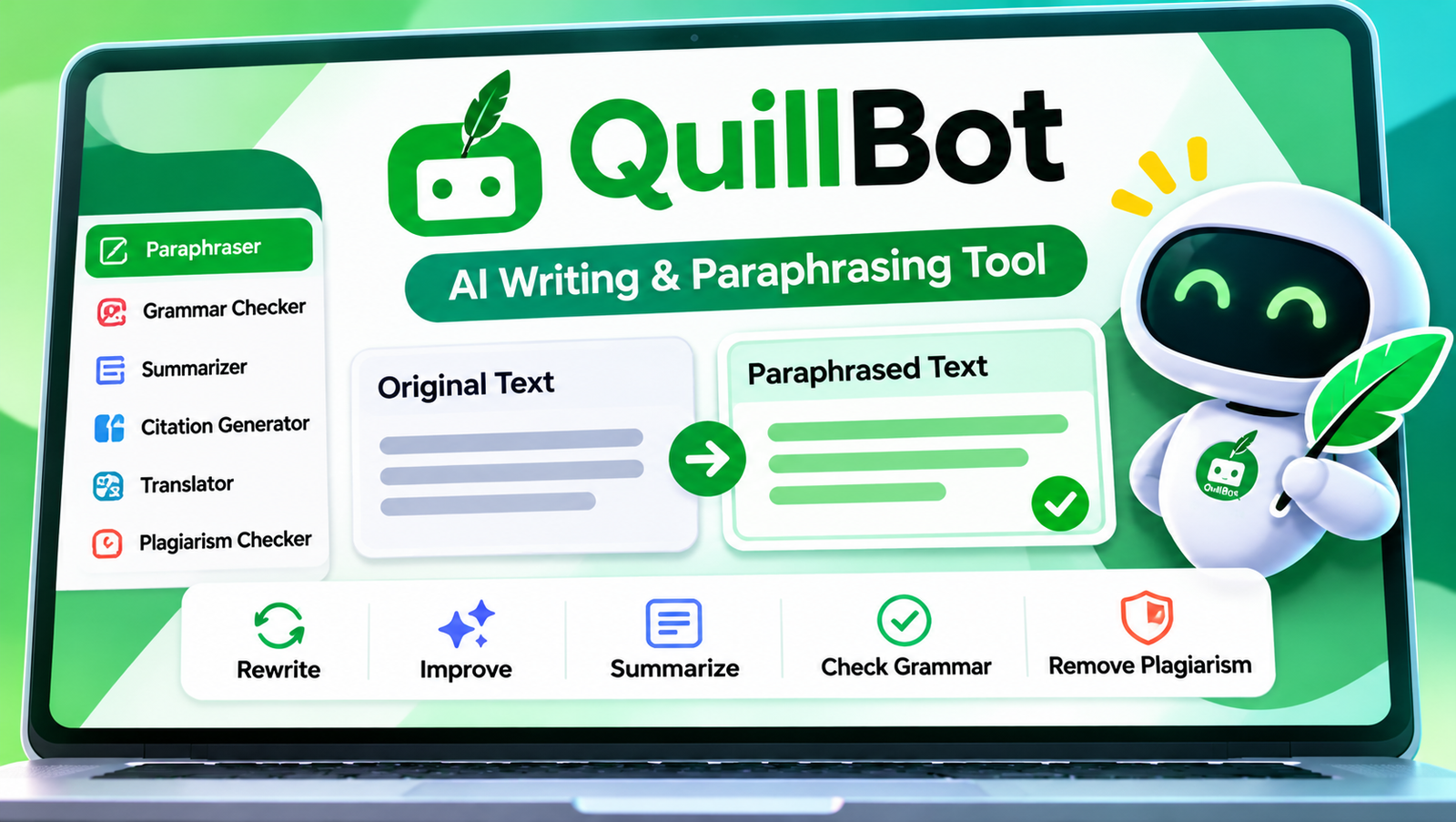
QuillBot is an AI writing assistant best known for its paraphraser: paste in a sentence or paragraph and it rewrites it in different words, in a style you choose. Around that core it has added a grammar checker, summarizer, translator, citation generator, plagiarism checker and AI content detector. The free plan is useful for short pieces, while Premium removes the word limits and unlocks the full set of rewriting modes.
This review covers exactly what you get free versus paid, how each paraphrasing mode behaves, how students and professionals can use it without getting into trouble, and how it compares with Wordtune, Grammarly and general AI chatbots.
QuillBot at a glance
- Free paraphraser: up to 125 words at a time, with the Standard and Fluency modes.
- Premium: unlimited paraphrasing length, all nine modes, custom modes, compare view and more. Listed at $19.95 a month or $99.95 a year in early 2026.
- Plagiarism checker: Premium only, up to 25,000 words a month.
- Owner: acquired by Course Hero (now part of Learneo) in 2021.
- Best for: rewording, tightening and polishing text you’ve already written.
Contents
- What QuillBot does
- Free vs Premium: the real differences
- The paraphrasing modes explained
- The other tools in the toolbox
- How to paraphrase well with QuillBot
- A before-and-after example
- Using QuillBot as a non-native English writer
- Extensions, apps and privacy
- Students, plagiarism and academic integrity
- QuillBot and AI detectors
- QuillBot vs Wordtune vs Grammarly vs ChatGPT
- Pros and cons
- FAQ
What QuillBot does
QuillBot began as a paraphrasing tool and has grown into a writing suite. According to a January 2026 overview by eesel, the main features are the Paraphraser, Grammar Checker, Translator, Summarizer, Citation Generator, Plagiarism Checker and AI Content Detector. You can use them on the website, through browser extensions, and inside apps such as Microsoft Word and Google Docs.
The common thread is editing. QuillBot works best on text you’ve already drafted, making it clearer, shorter, more formal or simply different. It is not mainly a tool for generating whole essays from scratch, although its AI features keep expanding.
Free vs Premium: the real differences
QuillBot’s own help centre sets out the paraphraser differences:
| Feature | Free | Premium |
|---|---|---|
| Words per paraphrase | Up to 125 | Unlimited |
| Modes | Standard and Fluency | All 9 modes |
| Custom modes | No | Yes, unlimited |
| Compare modes side by side | No | Yes |
| Synonym slider | Partial | Full range |
| Paraphrase history | No | Up to 50 per month |
| Plagiarism checker | No | Up to 25,000 words/month |
Premium was listed at $19.95 per month on monthly billing, or $99.95 per year (about $8.33 a month) on the annual plan, in eesel’s January 2026 overview. Prices can vary by country and promotion, so check the checkout page.
Is Premium worth it? If you only polish a few sentences at a time, the free plan is enough. If you regularly edit long documents, need formal or academic tone, or want the plagiarism checker, the annual plan is the better value.
The paraphrasing modes explained
Modes change how QuillBot rewrites. The names and exact set evolve, but these are the ones most people use:
| Mode | What it does | Use it for |
|---|---|---|
| Standard | Balanced rewording that keeps the meaning | Everyday rewrites |
| Fluency | Fixes awkward grammar and flow with minimal changes | Polishing non-native or rushed writing |
| Formal | Raises the tone and removes casual phrasing | Emails, reports, applications |
| Academic | More technical, scholarly phrasing | Essays and research writing (with care) |
| Simple | Shorter words and simpler sentences | Explaining complex ideas to a general audience |
| Creative | Bigger changes and more varied wording | Marketing copy and brainstorming |
| Expand / Shorten | Adds detail or cuts length | Hitting a word count, tightening text |
| Custom | Follows a style you describe | Matching a brand or personal voice |
The synonym slider controls how many words get swapped. Low settings keep your original wording mostly intact. High settings change more but risk odd word choices. For professional writing, a low-to-middle setting usually reads most naturally.
The other tools in the toolbox
- Grammar Checker: catches spelling, punctuation and grammar errors. Good for a final pass.
- Summarizer: condenses long text into key sentences or bullet points. Handy for reading research, but always read the original for anything important.
- Translator: translates between many languages, useful for understanding sources or drafting in a second language.
- Citation Generator: formats references in styles such as APA, MLA and Chicago. Double-check details like page numbers and dates.
- Plagiarism Checker (Premium): compares your text against online sources and highlights matches.
- AI Detector: estimates whether text was written by AI. See the caveats below.
How to paraphrase well with QuillBot
- Write first, polish second. Draft your own ideas, then use QuillBot to improve specific sentences, not to generate your argument.
- Work in small chunks. One to three sentences at a time gives you more control and fewer odd rewrites.
- Pick the mode for the job. Fluency for light fixes, Formal for professional tone, Simple for clarity.
- Freeze key terms. Use the freeze feature to stop QuillBot changing names, technical terms or quoted phrases.
- Read every output aloud. If a sentence sounds unnatural or the meaning has drifted, change it back.
- Keep citations. Paraphrasing someone else’s idea still requires crediting them.
A before-and-after example
To show how much the mode matters, here is an illustrative example of the kind of changes each style produces. These are written to demonstrate the differences, not copied from the tool, and your exact results will vary.
Original: “We think the new app is good but people had some problems logging in and the team is working on fixing it soon.”
- Fluency-style fix: “We think the new app is good, but some people had problems logging in, and the team is working on a fix.”
- Formal-style rewrite: “We are pleased with the new application, although some users experienced login difficulties. The team is currently addressing the issue.”
- Simple-style rewrite: “The new app works well. Some people could not log in. The team is fixing this.”
- Shorten-style rewrite: “The new app is good, but some users had login issues, which the team is fixing.”
Notice that none of these versions is automatically “best”. A customer update might suit the formal version, a help-page notice the simple version, and a team chat the original. Choosing the right mode for the reader is a writing decision only you can make.
Using QuillBot as a non-native English writer
Many of QuillBot’s most loyal users write in English as a second or third language. For them, the Fluency mode and grammar checker act like a patient editor. Some habits make it work better:
- Write your idea in plain English first, even if it feels clumsy, then use Fluency to smooth it. Your meaning stays intact.
- Compare the change, don’t just accept it. Looking at what was changed and why is one of the fastest ways to improve your own English.
- Use the translator to check meaning, not to write whole documents. Translating a rewritten sentence back into your own language is a quick test of whether the meaning survived.
- Keep a personal list of corrections QuillBot makes repeatedly, such as articles, prepositions or verb tenses, and practise them.
Extensions, apps and privacy
QuillBot offers browser extensions and add-ins so you can rewrite text directly in email, documents and web forms without copying and pasting. That convenience comes with a privacy consideration: anything you paraphrase is sent to QuillBot’s servers for processing. Avoid pasting confidential work documents, client data, passwords or personal information unless your employer has approved the tool. For sensitive drafts, remove names and identifying details first, then add them back after editing.
Students, plagiarism and academic integrity
This is where many people get into trouble. Rewording a source with a paraphrasing tool does not make the ideas yours. If you take an argument, finding or explanation from a source and rewrite it, you still need to cite that source. Without a citation, it is plagiarism, however different the words look.
Many schools and universities also have specific rules on AI writing tools. Some allow grammar checking but not paraphrasing; some allow AI with disclosure; some ban it for assessed work. Before using QuillBot on coursework:
- read your course or institution’s AI policy,
- ask your teacher if the rules are unclear,
- keep your drafts and notes to show your own work if questioned,
- disclose AI assistance if your institution requires it.
Used honestly, QuillBot is a helpful language aid, especially for students writing in a second language. Used to disguise copied work, it’s academic misconduct.
QuillBot and AI detectors
People often ask whether QuillBot can make AI-written text “undetectable”. Two points matter. First, AI detectors, including QuillBot’s own, are probability estimates, not proof, and they produce false positives, sometimes flagging genuinely human writing. Second, trying to disguise AI-written or copied work to get around an institution’s rules is a breach of those rules regardless of whether a detector notices.
For professional writers, the useful takeaway is simpler: readers and search engines reward content that is accurate, specific and genuinely helpful. Rewording generic text doesn’t make it valuable. Adding real expertise, examples and checked facts does.
QuillBot vs Wordtune vs Grammarly vs ChatGPT
| Tool | Strongest at | Choose it if… |
|---|---|---|
| QuillBot | Paraphrasing with modes, plus summarising and citations | You want an all-round student and editing toolkit at a low annual price |
| Wordtune | Sentence-level rewrite suggestions in context | You want natural alternatives while you type |
| Grammarly | Grammar, clarity and tone checks across apps | Correctness and consistency matter most |
| ChatGPT, Claude and similar | Flexible rewriting with detailed instructions | You want to explain exactly how text should change |
If you mainly need a sentence rewritten in a slightly different tone, all of these work. QuillBot stands out for its structured modes, freeze words and the combination of paraphraser, summarizer and citation tools in one subscription. If you’re exploring AI tools for research and presentations, our Genspark review covers an agent that builds whole documents.
Pros and cons
Pros
- Useful free plan for short rewrites.
- Clear modes that make tone changes easy.
- Many tools in one place, including citations and summaries.
- Affordable annual Premium price.
Cons
- 125-word free limit gets tiresome for longer documents.
- High synonym settings can produce awkward or inaccurate wording.
- Easy to misuse in ways that breach academic rules.
- AI detection results are estimates and can be wrong.
Verdict: QuillBot is one of the most practical writing aids available, especially for students and second-language writers who want clearer, more polished text. Start with the free plan, learn which modes suit your writing, and upgrade to the annual plan only if the word limit or missing modes slow you down. Above all, use it to improve your own words, not to disguise someone else’s, and keep your citations intact.
A final practical tip: whichever plan you use, keep your original draft. If a paraphrase changes your meaning or a reader asks how you reached a sentence, having the earlier version saved makes it easy to explain your own process and restore what you actually meant.
Curious how the AI models behind writing tools compare with each other? LMArena ranks chatbots using blind, head-to-head votes from real users.
FAQ
Is QuillBot free?
Yes. The free plan paraphrases up to 125 words at a time in Standard and Fluency modes, and includes basic grammar checking and other tools.
How much is QuillBot Premium?
It was listed at $19.95 per month or $99.95 per year in early 2026. Check the official site for current pricing in your region.
Is using QuillBot cheating?
It depends on your institution’s rules and how you use it. Polishing your own writing is often allowed. Rewording someone else’s work without citing it, or breaking an AI policy, is not.
Does QuillBot have a plagiarism checker?
Yes, on Premium, with an allowance of up to 25,000 words a month.
Can QuillBot write essays?
Its strength is editing and rewording. Generating essays to submit as your own work breaks most academic integrity policies.
Who owns QuillBot?
QuillBot was acquired by Course Hero in 2021. Course Hero’s parent company is now called Learneo.




1 comment